
Written By: Dean Shali
Fact Checked By: Sabré Cook
Reviewed By: Tamara Warren
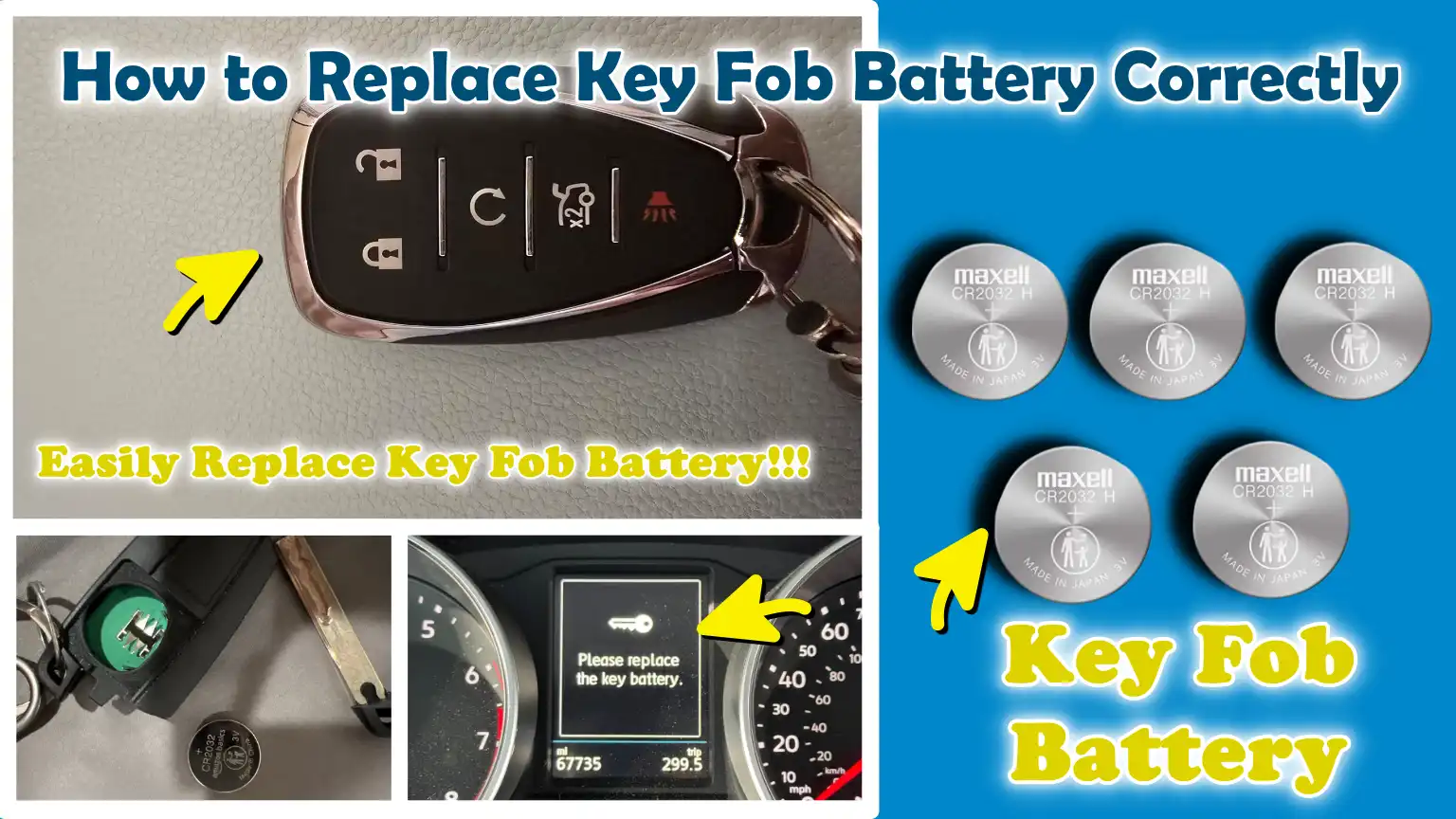
If your key fob begins to slow down and showing weaker signals then these are the common signs that shows long before the device completely stops the working.
As, this remote actually “Low-Power Radio Transmitter” that literally communicates with your vehicle by using encrypted signals and it actually depends entirely on a small coin-cell battery to function profoundly.
That’s why, in many modern cars, having a weak key fob battery is one of the most common causes of issues such as: reduced unlocking range, delayed response, push-button start failures or “Key Not Detected” warnings on the dashboard.
Now, in this guide you’ll learn How to Replace Key Fob Battery Correctly so that you can understand how you can safely open the key fob, then identify the correct battery model and then install it properly to ensure proper function and prevents unnecessary damage to the sensitive electronic components.
So, What Does the Key Fob Battery Do?
The key fob battery is a small power source that enables your car key to transmit wireless signals to your vehicle.
Although the fob may appear simple on the outside, it houses an internal microchip and a low-power radio transmitter that rely entirely on this battery for power.
Most modern key fobs utilize coin-cell lithium batteries because they are compact, stable and capable of delivering a consistent voltage over time.
Without this battery, the fob cannot generate the energy required to communicate with the car, rendering even basic functions such as: locking or unlocking the doors, impossible.
Simply put, this battery transforms that unassuming plastic device into an active wireless controller for your vehicle.
1. How the Battery Powers Remote Locking and Starting Functions
When you press a button on your key fob, the battery instantly supplies a small amount of electrical energy to the internal circuit board.
This energy powers the microchip, which then generates a coded radio signal that is transmitted to your car’s receiver system.
The vehicle recognizes this encrypted signal and responds by locking or unlocking the doors, opening the trunk, or, in the case of push-button ignition systems, starting the engine.
This entire process occurs in a mere fraction of a second and depends on the battery being robust enough to deliver a stable voltage every time a button is pressed.
If the battery is in good condition, the signal remains strong and consistent, allowing the car to respond reliably even from a distance.
2. How Low Voltage Affects Transmitter Communication
As the key fob battery begins to weaken, its voltage gradually drops below the level required to transmit a stable signal.
Typically, this does not result in an immediate malfunction; instead, it leads to irregularities in the communication between the fob and the vehicle.
The radio signal weakens, thereby reducing its effective range and the car responds only when you are in very close proximity to it.
In some instances, if the voltage drops too low at the moment the button is pressed, the signal may fail to transmit altogether.
This is why drivers often find themselves having to press the button multiple times, or standing very close to the vehicle, before it finally responds.
The issue is not that the car has lost its connection, but rather that the fob is struggling to emit a sufficiently strong signal.
3. How Battery Condition Affects Push-Button Start Systems
In vehicles equipped with push-button start systems, the key fob’s battery plays a crucial role in verifying the presence of an authorized key inside or in the immediate vicinity of the vehicle.
Before allowing the engine to start, the vehicle continuously scans for a valid signal from the fob.
When the battery is weak, the signal fails to reach the vehicle’s receiver effectively, which may trigger warnings on the dashboard such as “Key Not Detected”.
In certain situations, the vehicle may still start if the fob is held in very close proximity to the start button, as this short distance compensates for the weakness of the signal.
However, this serves only as a temporary workaround; continued use of a weak battery will eventually result in the vehicle failing to start at all.
4. Why Even a Seemingly Functional Fob Can Become Unreliable When the Battery Is Low
A key fob may appear to function normally one moment and cease working the next, because modern automotive systems are designed to detect signal strength and timing with a very high degree of precision.
Even if the battery retains some residual charge, it may fail to deliver a consistent voltage each time the button is pressed, resulting in erratic performance.
This is why a key fob with a weak battery might successfully unlock the vehicle when held in close proximity, yet fail to do so from a distance, or function intermittently throughout the day.
Environmental factors, such as cold weather, can further exacerbate this issue, as low temperatures further diminish battery performance.
Practically speaking, a key fob with a weak battery is not entirely broken; rather, it becomes unpredictable, a situation that is often even more frustrating than a complete failure.
Signs That Shows Your Key Fob Battery Is Dying
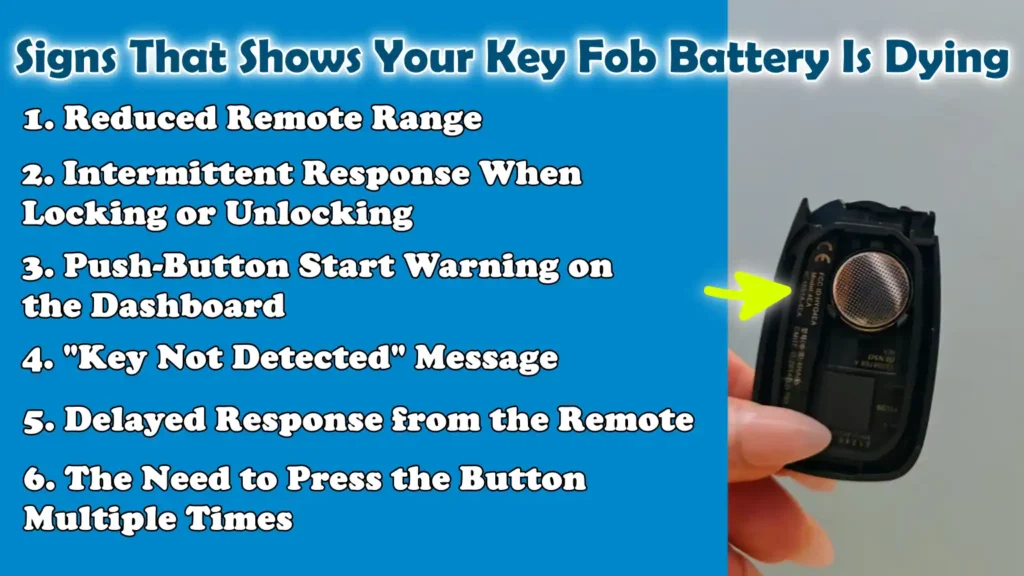
A key fob battery rarely fails without warning.
In most cases, before ceasing to function entirely, it provides several subtle yet distinct warning signs.
These early symptoms appear because the battery’s voltage gradually diminishes over time, affecting the strength and stability of the signal the fob transmits to the car.
Recognizing these signs allows you to avoid suddenly being locked out of your vehicle or facing difficulties in starting the engine, enabling you to replace the battery before it dies completely.
1. Reduced Remote Range
One of the earliest and most common signs of a weak key fob battery is a noticeable reduction in its operating range.
Typically, a healthy key fob can lock or unlock your car from a considerable distance, even from inside your home or across a small parking lot.
As the battery weakens, the signal strength diminishes; this means you will have to stand much closer to the car for it to respond.
This occurs because the transmitter housed within the fob can no longer draw the consistent power required to send a strong radio signal to the car’s receiver system.
2. Intermittent Response When Locking or Unlocking
Another clear indication arises when the key fob functions only sporadically, even when you are standing in close proximity to the car.
You might press a button and receive no response, only for it to suddenly work when you try again.
This inconsistency stems from the battery’s voltage becoming unstable; consequently, the signal strength may fluctuate slightly each time a button is pressed.
When the signal drops below the car’s detection threshold, the command is ignored; this makes the fob appear unreliable, even if it has not yet failed completely.
3. Push-Button Start Warning on the Dashboard
In cars equipped with a Push-Button Start system, a warning often appears on the dashboard when the key fob’s battery is running low.
The car constantly monitors whether it is receiving a valid signal from the key; only then does it permit the engine to start.
When the battery is weak, the signal becomes unstable and the system may display a warning indicating that there is an issue with the key or remote.
This does not necessarily mean that the car cannot detect the key at all, but rather that the communication link between the fob and the vehicle is no longer reliable.
4. “Key Not Detected” Message
The “Key not detected” message is a more serious warning that typically appears when the battery has become severely weak or is on the verge of dying completely.
In such a situation, the car is unable to receive a signal strong enough to confirm the presence of the key in its immediate vicinity.
Sometimes, the key may work if it is held very close to the start button or the steering column; this is because placing it in close proximity temporarily boosts the system’s ability to pick up the signal.
However, this message is a definitive indication that the battery is failing and requires immediate replacement.
5. Delayed Response from the Remote
As the battery in the key remote (key fob) begins to weaken, a noticeable delay can be observed between pressing a button and the car responding.
Instead of locking or unlocking instantly, the system may take a second or two to react, or, in some cases, may only function after multiple attempts.
This delay occurs because a weak battery struggles to transmit a clear and strong signal on the first attempt, causing the vehicle to take longer to recognize and execute the command.
6. The Need to Press the Button Multiple Times
The most frustrating indication that a key fob’s battery is dying is the need to press the same button multiple times before the car responds.
This occurs because, due to low voltage, a consistent signal is not emitted every time the button is pressed; only a few of these signals are strong enough to actually reach the vehicle.
Over time, this happens with increasing frequency, until the remote eventually stops working altogether.
This symptom is a definitive sign that the battery is nearing the end of its lifespan and should be replaced to ensure the vehicle continues to function correctly and reliably.
How to Identify the Correct Key Fob Battery Type
Choosing the correct key fob battery is crucial, as even a slight discrepancy in size, voltage, or fit can cause the remote to stop functioning properly.
Key fobs are designed to accommodate specific types of coin-cell batteries; using the wrong battery can result in weak signals, poor electrical contact, or even complete failure of the remote.
Identifying the correct battery ensures consistent performance, extends battery life and protects the internal circuitry from damage.
1. Checking the Old Battery Number
The most reliable method for finding the correct replacement is to open the key fob and read the number printed on the old battery.
Most coin-cell batteries feature a specific code such as: CR2032, CR2025, or CR2016, printed directly on their surface.
This code indicates the required size, thickness and voltage.
Matching this number is essential, as batteries that appear visually identical may differ in thickness; this factor determines how securely they fit into the holder and how effectively they maintain contact with the terminals.
2. Consulting the Owner’s Manual
The vehicle’s Owner’s Manual serves as another reliable resource for identifying the correct key fob battery type.
Manufacturers clearly specify the exact battery required for each key fob model, leaving no room for confusion.
This is particularly helpful when the information printed on the old battery has faded or is no longer legible.
The manual may also contain instructions on how to safely open the key fob and replace the battery, helping to prevent any damage during the process.
Adhering to the manufacturer’s recommendations ensures battery compatibility and reliable performance.
3. Common Battery Sizes Used in U.S. Vehicles
In the United States, most modern vehicles utilize standard lithium coin-cell batteries within their key fobs.
The most common types are the CR2032, CR2025 and CR2016; while they share identical diameters and voltage levels, they differ in thickness.
The CR2032 is the most widely used type, as it strikes an excellent balance between size and capacity, making it ideal for frequently used remotes.
However, different vehicles require specific battery sizes depending on the unique design of their key fobs and their specific power requirements; therefore, assuming that all batteries are interchangeable can lead to installation difficulties.
4. Why Battery Thickness and Voltage Matter
Battery thickness is critical, as it determines how securely the battery fits inside the fob and whether it maintains proper contact with the metal terminals.
If the battery is too thin, it will not fit correctly, potentially leading to intermittent connections and unreliable performance.
Voltage also plays a pivotal role, as key fobs are designed to operate within a specific voltage range, typically around 3 volts.
If the voltage is too low or unstable, signal strength diminishes, resulting in a reduced operating range or a complete loss of communication with the vehicle.
Even slight deviations in these specifications can significantly impact the overall functionality of the key fob.
5. Differences Between OEM and Aftermarket Batteries
Original Equipment Manufacturer (OEM) batteries are those supplied or approved by the vehicle manufacturer; they are designed to meet precise performance standards to guarantee reliability and longevity.
Aftermarket batteries are produced by third-party brands and their quality can vary, even if their physical dimensions and voltage ratings are identical.
High-quality aftermarket batteries can perform just as well as their OEM counterparts, whereas lower-quality batteries may discharge prematurely or fail to deliver a consistent voltage output.
For the best results, it is essential to choose a reputable brand and ensure that the battery meets the exact specifications recommended for your key fob.
Tools
| Tools | Why It Is Needed | How to Use It Properly |
|---|---|---|
| Flathead Screwdriver or Trim Tool | This tool is useful when the seam or clip mechanism of the key fob case is extremely tight, making the task of opening it much easier. | Gently insert it into the key fob’s seam and twist slightly to pry open the casing. Apply very minimal force to avoid cracking the plastic or damaging the internal components. |
| Plastic Pry Tool | This tool is used to safely separate the key fob without scratching it or damaging its exterior surface. | Insert the plastic edge into the key fob’s seam and slowly work your way around the fob until it pops open. This is the safest tool for opening modern-day key fobs. |
| Soft Cloth | This protects the key fob’s surface and prevents scratches or the loss of small parts. | Place the key fob on a cloth surface while working to ensure it remains stable and clean. This also helps prevent the loss of batteries or screws while replacing them. |
| New Battery | This provides the precise power source required to restore the key fob’s full functionality. | Ensure that the battery model is exactly correct (e.g., CR2032). Insert it with the correct polarity, that is, align the positive and negative terminals of the battery with their corresponding positions. |
| Gloves – Optional | This prevents skin oils from affecting the battery’s contact points and keeps the internal components clean. | Wear lightweight gloves while handling the battery and the internal circuit board to prevent moisture or dirt from causing damage. |
How to Ensure Safety Before Opening the Key Fob
Before opening the key fob to replace the battery, it is essential to observe a few simple yet crucial safety precautions to prevent any damage to the delicate internal electronic components.
Although the key fob may appear to be a simple plastic device on the outside, it houses a highly sensitive circuit board, a small transmitter chip and various metal contacts within.
If handled carelessly or exposed to adverse conditions, these components can be easily damaged.
Exercising caution ensures that the battery replacement process is completed successfully, thereby avoiding unnecessary repair costs.
1. Avoid Touching Internal Electronic Components
The circuit board inside the key fob is highly sensitive to the oils, moisture and static electricity present on your fingertips.
Directly touching these internal components can leave behind residues that may interfere with electrical connections or cause long-term damage to the tiny parts.
It is best to handle the device solely by the edges of its plastic casing and to touch the battery only when absolutely necessary.
Doing so minimizes the risk of accidental damage and ensures that the device continues to function optimally after the battery has been replaced.
2. Work in a Clean and Dry Environment
The key fob battery should always be replaced in a clean and dry environment, such as on a table or workbench.
Once the key fob is opened, dust, dirt, or moisture can easily enter the device, potentially adversely affecting the internal electronic components or the battery contacts.
Working in a clean space also makes it easier to keep track of small parts such as: screws or the emergency key, ensuring that they do not get lost during the battery replacement process.
It is equally important to keep the device in a dry place, as even a trace of internal moisture can lead to corrosion or a short circuit.
3. Safeguard the Emergency Key
Most key fobs contain a small emergency mechanical key that slides out from the main body of the fob.
If the key fob’s battery completely runs out, this key proves invaluable for manually unlocking the car.
Therefore, it should be handled with extreme care when replacing the battery.
Extracting this key before attempting to open the key fob significantly reduces the risk of bending or damaging it.
Another advantage of keeping it safe is that, should the new battery be installed incorrectly or fail unexpectedly, you still retain a backup method for accessing your vehicle.
4. Avoid Errors Regarding Battery Polarity
One of the most common mistakes made during battery replacement is inserting the new battery in the wrong orientation.
Every “coin-cell” battery features a “positive” (+) and a “negative” (-) terminal.
Key fobs are designed to function only when the battery polarity is precisely correct.
If the battery is inserted incorrectly, the key fob will not work at all, even if the battery is brand new.
Before removing the old battery, it is crucial to carefully observe its orientation so that the new battery can be inserted in exactly the same manner.
5. Prevent Damage from Static Electricity
Static electricity is invisible, yet it can damage the delicate electronic components housed within the key fob.
It can accumulate on your body, particularly in dry environments, and discharge suddenly when you touch the circuit board.
This sudden discharge of electricity can disrupt the functioning of the signal-transmitting microchip or cause it permanent damage.
To mitigate this risk, it is advisable to touch a grounded metal component before handling the internal parts; alternatively, you can simply avoid touching the circuit board directly altogether.
This simple precaution helps ensure that the key fob continues to function correctly even after the battery has been replaced.
How to Replace Key Fob Battery Correctly – Effective Methods
Replacing a key fob battery is a simple task, but it must be performed with care, as the fob contains tiny electronic components that control essential vehicle functions such as: locking, unlocking and starting the engine.
Performing each step in the correct sequence helps prevent damage, ensures proper battery contact and, in most vehicles, restores full signal strength without the need for reprogramming.
1. Remove the Emergency Key
The first step is to extract the hidden mechanical emergency key, which is integrated into most key fobs.
This key is typically housed within a small slot and can be released by pressing a small button or sliding a latch located on the side or back of the fob.
Its exact location depends on the vehicle’s make and model, but it is generally found near the device’s seam or edge.
Removing the emergency key first facilitates the safe opening of the casing and also protects the metal key from bending or getting scratched during the process.
2. Open the Key Fob Casing
Once the emergency key has been removed, the next step is to locate the seam where the two halves of the key fob join together.
This seam is designed to separate, though the connection can be quite tight, so gentle force may be required to pry the sections apart.
A plastic tool or a small, flat-edged instrument can be inserted into the seam to carefully pry the casing open.
It is crucial to work your way slowly around the entire perimeter rather than attempting to force it open from a single spot; applying excessive pressure can crack the plastic casing or break the internal clips that hold the fob securely together.
2. Remove the Old Battery
Once the case is open, you will see a small ‘coin-cell’ battery seated within a round holder.
Before removing it, carefully observe its orientation, specifically, which side is facing upwards.
Most batteries feature a ‘plus’ sign indicating the positive (+) terminal and a flat surface indicating the negative (-) terminal.
Remembering this orientation is crucial, as the key fob will not function if the battery is inserted incorrectly.
Gently lift the battery out, taking care during this process to avoid bending or damaging the metal contact points that hold it in place.
4. Insert the New Battery
Take the new battery and ensure that it is the correct type required for your key fob such as: a CR2032 or another specified model.
Place the battery into the holder in the exact same orientation as the old one; verify that the positive and negative sides are positioned correctly.
Gently press it down so that it seats properly and makes full contact with the metal terminals.
A correctly installed battery ensures a consistent flow of power, which is essential for the device to reliably transmit signals to the vehicle.
5. Reassemble the Key Fob
After installing the new battery, carefully bring the two halves of the key fob casing together, ensuring that all edges align correctly.
Press them together evenly until you hear or feel a faint ‘click’; this indicates that the clips have locked back into place.
Do not force the casing, as applying excessive pressure to one side could dislodge internal components or break the locking tabs.
Once the fob is completely closed, slide the emergency mechanical key back into its slot until you hear a distinct ‘click’ and it locks securely into place.
6. Check All Functions
In the final step, test every function of the key fob to ensure that the battery replacement was successful.
First, verify basic operations such as: locking and unlocking the doors, from a normal operating distance.
Next, if your vehicle features any additional functions such as: a trunk release button or a panic button, test those as well.
For vehicles equipped with a push-button start system, verify that the vehicle properly recognizes the key and allows the engine to start without displaying any warning messages.
If all functions respond instantly and consistently, it indicates that the battery has been installed correctly and the key fob is fully operational.
Know, The Common Mistakes Made When Replacing a Key Fob Battery
Replacing a key fob battery seems like a simple task, but minor errors made during this process can lead to a variety of problems.
As a key fob relies on precise contact between the battery, metal terminals and circuit board, even a small mistake can prevent it from functioning entirely or render its performance weak and unreliable.
Understanding these common mistakes helps you avoid potential damage and ensures that your key fob operates correctly after the battery has been replaced.
Plus, there’s automotive engineering research that confirms that key fobs are designed to run on the low-energy RF systems that is powered by 3V lithium coin cells, which typically lasts 2 to 3 years depends on the usage patterns, SAE studies shows that these devices consume extremely low standby current and only draws the power during the short transmission bursts, which explains that performance gradually declines rather than failing instantly, so that’s why most of the key fob issues are battery-related and can be resolved through correct replacement rather than full device replacement as well.[¹]
1. Inserting the Battery Upside Down
One of the most common mistakes is inserting the battery in the wrong orientation.
Every coin-cell battery features a positive (+) and a negative (-) terminal and the key fob is designed to function only when these terminals are connected correctly.
If the battery is inserted upside down, the circuit receives no power; consequently, the key fob will not respond at all, even if the battery is brand new.
This error often leads people to believe that the key fob is broken, when in reality, it has simply been inserted incorrectly.
2. Using the Wrong Battery Model
Another common issue is using the wrong type of battery, even if it looks identical to the original.
Key fobs are designed for specific models such as: the CR2032 or CR2025, and even a slight difference in thickness or voltage can prevent the battery from fitting properly or result in a poor connection.
If the battery is too thin, it may fail to make proper contact with the terminals; conversely, if it is too thick, the cover may not close securely.
Such discrepancies can cause the key fob to function intermittently or stop working altogether.
3. Damaging the Contacts
Inside the key fob, there are tiny metal contacts responsible for transmitting power from the battery to the circuit board.
If these contacts become bent, scratched, or dislodged during a battery replacement, the electrical connection becomes weak or unstable.
Consequently, the key fob may function intermittently or cease working entirely.
Even minor damage can diminish signal strength; therefore, exercising extreme caution when removing or inserting the battery is absolutely essential.
4. Touching the Circuit Board
The circuit board housed within the key fob contains highly sensitive electronic components that can be damaged by moisture, oils, or static electricity generated by human hands.
Direct contact can leave behind residues that may interfere with electrical signals or cause long-term damage.
In some instances, a static discharge can fry the microchip responsible for communicating with the vehicle, rendering the key fob permanently useless.
For this reason, it is best to avoid directly touching the key fob’s internal circuit board whenever possible.
5. Improper Battery Installation
To ensure proper contact with both terminals, the key fob’s battery must be seated firmly and evenly within its holder.
If the battery is not fully seated or remains slightly loose, the connection may become unstable.
This often results in poor performance, characterized by the fob functioning intermittently, working at times and failing at others.
Firmly pressing the battery into its designated slot is crucial for maintaining a stable power flow and ensuring reliable signal transmission.
6. Broken Retaining Clips
Most key fobs are secured by small plastic clips that hold the casing tightly shut.
If excessive force is applied while opening or closing the fob, these clips can easily break.
Once broken, the casing cannot close properly, allowing dust or moisture to enter and potentially damage the internal electronic components.
Broken clips may also cause the fob to feel loose or eventually fall apart over time, thereby compromising its durability and security.
Understand, How to Extend Key Fob Battery Life
Key fob batteries are small, yet their lifespan depends heavily on how the key fob is used and where it is stored.
Most coin-cell batteries installed inside key fobs are designed to last for several years; however, during real-world usage, factors such as temperature fluctuations and accidental button presses can significantly reduce their lifespan.
By adopting a few simple habits, you can extend your battery’s life, maintain strong signal performance and avoid sudden malfunctions.
1. Avoid Keeping It Near the Vehicle
Keeping your key fob in close proximity to your vehicle for extended periods can sometimes cause it to remain in a “low communication state”, particularly with smart key systems that constantly scan for signals.
Over time, this can drain the battery slightly faster, as the fob may transmit or respond to signals more frequently than necessary.
When the key fob is not in use, storing it in a remote location such as: inside your home, rather than near the vehicle helps minimize unnecessary signal activity and conserves battery power.
2. Prevent Accidental Button Presses
Accidental button presses are one of the most common causes of premature battery drain.
When the fob is in a pocket or bag and a button is pressed inadvertently, the key fob transmits a signal each time, even if the user is unaware of it.
Repeated signal transmission gradually depletes the battery’s power.
Using a protective case or being mindful of where you store your keys can prevent the key fob from being accidentally activated and help extend its battery life.
3. Keep It Away from Heat
Heat is one of the primary factors that can reduce a key fob’s battery life.
Elevated temperatures such as: those resulting from leaving a key fob inside a hot vehicle or in direct sunlight, as it can accelerate the chemical degradation process within the battery.
Over time, this leads to a decline in both the battery’s capacity and stability.
Storing the key fob in a cool, dry place helps maintain optimal battery performance and prevents the internal power cell from deteriorating prematurely.
4. Use High-Quality Batteries
Battery quality plays a crucial role in determining its lifespan.
High-quality batteries deliver stable voltage and consistent energy output, ensuring reliable performance from the key fob over time.
Low-quality or inexpensive batteries may drain quickly or fail to provide consistent power, potentially reducing the key fob’s operating range or causing malfunctions.
Opting for a reputable brand ensures consistent performance and minimizes the need for frequent battery replacements.
5. Replace Batteries in Pairs When Necessary
Some vehicles utilize more than one key fob; if both fobs were put into service around the same time, it is often beneficial to replace the batteries in both units simultaneously.
This ensures consistent performance across both key fobs and helps avoid situations where one fob functions correctly while the other suddenly stops working.
Replacing both batteries at the same time makes maintenance simpler and more predictable.
6. Perform an Annual Battery Check
Even if the key fob appears to be functioning normally, checking the battery once a year is a sound practice for preventive maintenance.
As a decline in battery capacity typically occurs gradually, an annual check helps detect early warning signs such as: reduced range or delayed response, before the key fob stops functioning entirely.
This simple, routine procedure helps prevent situations like being suddenly locked out of your vehicle and ensures that the key fob remains reliable at all times.
Read More:
Conclusion – How to Replace Key Fob Battery Correctly
Simply, key fob battery actually controls really important systems that helps you to avoid unnecessary repair costs and confusion as well, so whenever your key fob battery fails then it disrupts smooth experience.
From locking and unlocking doors to activating push-button start systems, it relies entirely on a properly functioning battery to communicate with your car.
As you have seen in this guide, most key fob issues stem not from complex electronic malfunctions, but rather from common problems such as: a weak battery, improper installation, or carelessness during replacement.
The good news is that, in most cases, these issues can be quickly resolved right at home by following the correct procedures and exercising a little caution.
By selecting the right type of battery, adhering to safe replacement practices and avoiding common mistakes such as: incorrect polarity or poor contact, you can restore your key fob to full working order in just a few minutes.
Paying attention to early warning signs such as: reduced range or delayed response, also helps prevent sudden malfunctions.
Now, that’s all from this guide How to Replace Key Fob Battery Correctly so that you can comment for more unsolved queries.
Frequently Asked Questions
FAQ 1: How will I know if my key fob battery is low?
Answer: When a key fob battery begins to run low, there are usually some clear early warning signs before it stops working completely. You might notice that the remote only works when you are in very close proximity to the car, or that you have to press the buttons multiple times to get a response. Some vehicles may also display a “Key Not Detected” warning on the dashboard, or there may be a delay in the locking and unlocking of the doors. These signs occur because the battery’s voltage is dropping and it is no longer capable of sending a strong signal to the car.
FAQ 2: Can I replace the key fob battery myself at home?
Answer: Yes, in most cases, you can safely replace the key fob battery yourself at home without any professional assistance. Key fobs are designed to be easily opened for battery replacement and the process typically takes just a few minutes. All you need is the correct type of battery and a small tool, such as a plastic pry tool or a flathead screwdriver. As long as you open the fob carefully and follow the correct steps, there is usually no need to reprogram it for most modern vehicles.
FAQ 3: What happens if I install the wrong battery in my key fob?
Answer: Using the wrong battery can lead to several issues, even if it looks identical to the correct one. If the battery is too thin or too thick, it will not fit properly inside the holder, resulting in a weak or unstable connection. If the voltage or model is incorrect, the fob may not work at all. In some cases, it may function intermittently, or its operating range could be significantly reduced. Therefore, to ensure proper functionality, it is crucial to match the exact battery model number such as: CR2032 or CR2025.
FAQ 4: Do I need to reprogram my key fob after replacing the battery?
Answer: In most vehicles, you do not need to reprogram the key fob after replacing the battery. The programming data remains stored in the fob’s internal memory and is not erased when the battery is changed. However, if the battery has remained completely discharged for an extended period, or if there is another internal issue, a re-synchronization process may be required in some vehicles. But generally, installing the correct battery allows the fob to resume normal operation immediately, without any additional steps.
FAQ 5: Why is my key fob still not working after replacing the battery?
Answer: If your key fob is still not working after replacing the battery, there could be several potential reasons. The battery may have been inserted in the wrong orientation, or it may not be seated correctly within its holder. In some cases, the metal contacts inside the fob may be dirty or slightly corroded. It is also possible that the replacement battery itself is weak or defective. If none of these issues apply, the problem may not be related to the battery, but rather to the key fob’s internal electronics.
FAQ 6: How long does a key fob battery typically last?
Answer: A key fob battery typically lasts between two and five years, depending on usage patterns, battery quality and environmental conditions. Frequent use, accidental button presses and exposure to heat can reduce its lifespan. Cold weather can also temporarily affect its performance. Compared to inexpensive batteries, high-quality batteries tend to last longer and provide a more stable signal.
FAQ 7: Can a weak key fob battery affect the push-button start system?
Answer: Yes, a weak key fob battery can directly affect the push-button start system. These systems rely on a strong and stable signal transmitted from the key fob to ensure that the key is located inside the vehicle. When the battery is weak, the signal may not be sufficiently strong; this can result in a “Key Not Detected” message appearing in the vehicle or cause a delay in the engine starting. In some cases, the vehicle will only start if the key fob is held in very close proximity to the start button.
References:
[1] Energy Harvesting in Automotive Key fob Application
https://saemobilus.sae.org/papers/energy-harvesting-automotive-key-fob-application-2017-26-0351

Hello Folks, Dean Shali here to help you out to solve the problems with your lovely vehicle, as i have lots of experience and knowledge about automotive industry as i woks directly with the customers and repair vehicles and i love to help the people to keep their cars safe and running smoothly.